Head-Up Display (if equipped).Petrol only
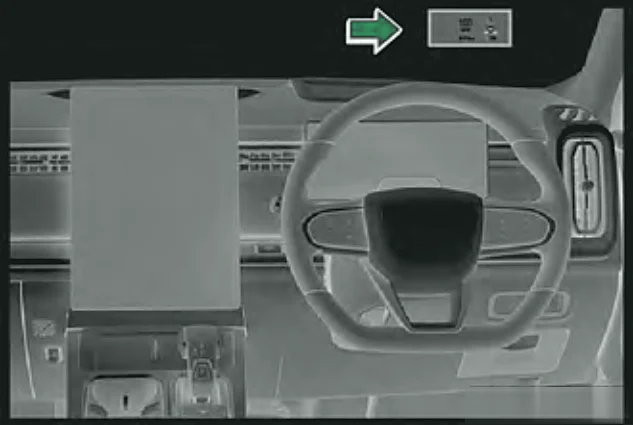
The HUD projects information such as speed, distance, navigation and driver assistance messages onto the windscreen, in your line of sight, so you do not need to look down.
Settings
Switch the HUD on in the HUD settings on the central touchscreen. You can then adjust:
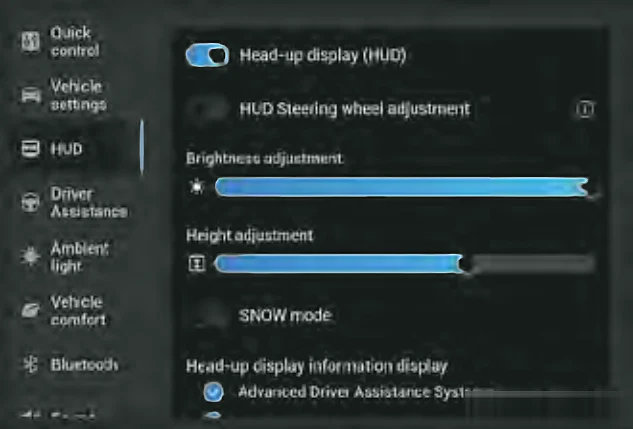
- HUD steering wheel adjustment on/off (adjust the HUD using the steering wheel buttons).
- Brightness.
- Height.
- SNOW mode on/off.
- Restore defaults.
- What is shown: ADAS and/or Navigation.
- Petrol only
- What is shown: ADAS, Bluetooth and/or Navigation.
- Super Hybrid (SHS-P) only
Note:Use SNOW mode in snowy conditions or when visibility is poor.
Limitations
- The image may be unclear in rain, snow or strong sunlight.
- If the HUD projector area is blocked, the HUD cannot be used.
- Windscreen tint film may affect brightness.
- You may not be able to see the HUD while wearing polarised sunglasses.