You can charge on AC (portable charger or wallbox) or DC (rapid charger). The charging port is behind a cover on the side of the car, towards the rear.
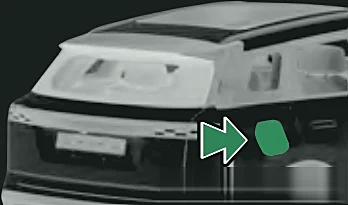
Before you start
- Don't charge if the connection is loose, if there is water or debris in the port, or if the metal pins are rusty or corroded.
- Don't use a charging device with a cracked case, worn cable or rusty plug.
- The car must be parked. It can't charge while a software update is running.
- Charging works in any power mode, but for safety Jaecoo recommends turning the car off first.
AC charging (home socket or wallbox)
- 1Park in the charging area, select P and apply the parking brake.
- 2On the New Energy screen select Charge Now – the car switches to power-off.
- 3Push the centre rear edge of the charging port cover to open it.
- 4Portable charger only: take the charger out of the boot and plug its three-pin plug into the mains socket. (Using a wallbox? Skip this step.)
- 5Remove the dust covers from the charging port and the charging gun.
- 6Push the charging gun into the AC port until you hear a slight click. The electronic lock locks and charging starts.
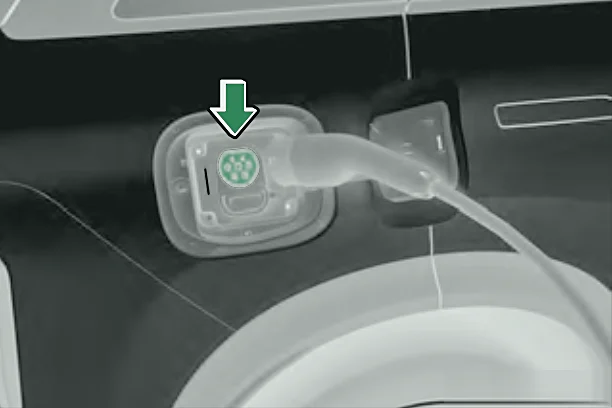
DC rapid charging
- 1Park in the charging area, select P and apply the parking brake.
- 2On the New Energy screen select Charge Now – the car switches to power-off.
- 3Push the centre rear edge of the charging port cover to open it.
- 4Take the charging gun from the charger and remove the port's dust cover.
- 5Push the gun into the DC port until you hear a slight click, then start the charge on the charger.
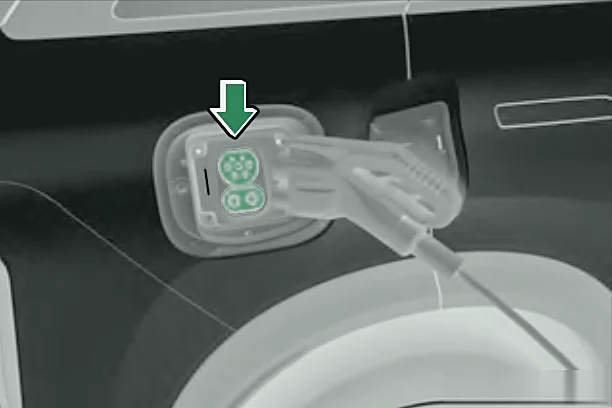
Stopping and unplugging
- 1Stop charging (or let it finish).
- 2Unlock the gun: press lock then unlock on the smart key, or tap Slow Charger Unlock on the New Energy screen (AC). Without the key, hold the gun and press its button with your thumb until you hear the lock release, lift your thumb, then quickly press the button again.
- 3Press and hold the button on the charging gun and pull it out.
- 4Refit the dust covers on the port and the gun, then close the charging port cover.
Note:If you don't pull the gun out after unlocking, the lock re-locks after a few seconds. If the car is unlocked but the charge lock is still locked, close the doors and lock the car, then unlock again.
Charging indicator light
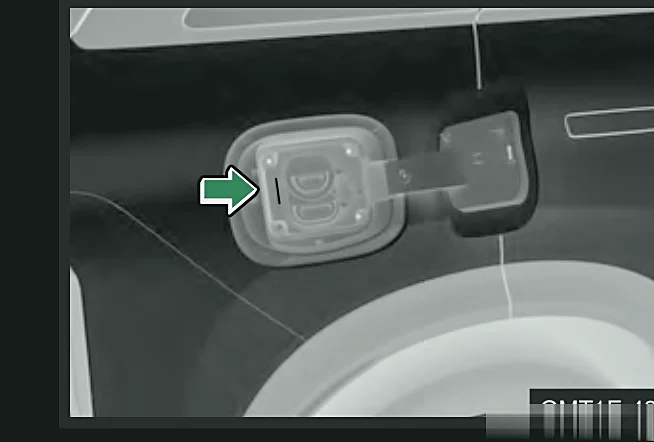
| Light | Meaning |
|---|---|
| Steady yellow | Charger connected, waiting – no current flowing yet |
| Flashing green | Charging |
| Steady green | Charging complete, gun still plugged in |
| Steady red | Charging fault |
| Steady blue | Discharging gun connected, waiting to discharge (or discharging finished) |
| Flashing blue | Discharging (V2L) |
| Steady white | No gun connected, port cover open, in the dark – stays on for 30 seconds as a light |
Warning:Never force the gun out while the electronic lock is locked (AC), or before charging has stopped (DC). This can damage the port and, on DC, risks electric shock.
Caution:Always make sure the charging gun is fully unplugged before you start the car, or the charging device and car may be damaged. Close the port's protective cover and the outer cover afterwards so water and dirt can't get in.
Note:Don't force open the charging port cover if it is not unlocked.