Lock/unlock switch
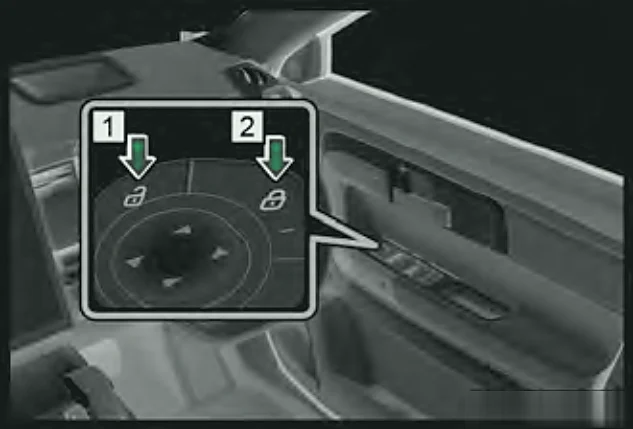
Press the lock or unlock switch on the driver's door to lock or unlock all the doors.Petrol only
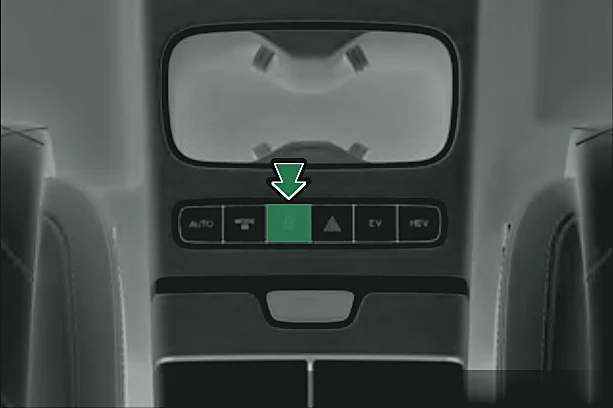
Press the central locking button (padlock symbol) on the centre console to lock or unlock the doors. You can also tap the central locking button on the screen under Audio System > Vehicle Center > Quick Control, with the car in READY.Super Hybrid (SHS-P) only
Automatic locking
When all four doors are closed and you drive faster than 9 mph (15 km/h), the doors lock automatically. Turn this on in the Audio System.Petrol only
With the car in READY, turn on Automatic lock under Audio System > Vehicle Center > Vehicle Settings. The doors then lock automatically when all four doors, the bonnet and the boot door are closed and you drive faster than 9 mph (15 km/h).Super Hybrid (SHS-P) only
Independent driver door unlocking
With the car in READY, turn on Independent Driver Door Unlocking under Audio System > Vehicle Center > Vehicle Settings. The first press of the unlock button on the key unlocks only the driver's door; a second press unlocks the other three.Super Hybrid (SHS-P) only
The head unit can be set to unlock the driver's door on its own. When it is, only the driver's hidden handle extends when you unlock the car.Petrol only