Active Speed Limit lets you set a maximum speed that the car won't exceed while you drive normally with the accelerator.
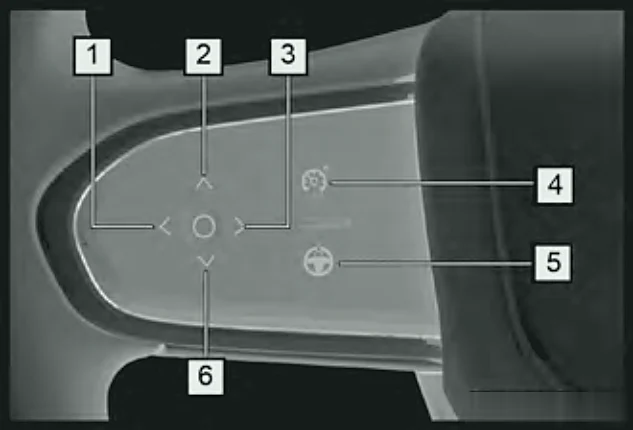
Turning it on
- With the car in ON, press the ASL button (4). The limiter goes into standby and the ASL standby indicator stays on.
- If the engine isn't running or you're below 19 mph (30 km/h), press DOWN to activate the limiter at a default of 19 mph (30 km/h).
- Between 19 and 124 mph (30–200 km/h), press DOWN to set your current speed as the limit.

ASL standby
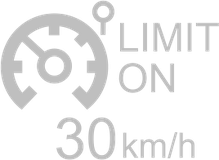
ASL active (shows the set limit)
Adjusting and switching off
- Press UP to raise the limit, or DOWN to lower it.
- Press the ASL button again to switch the limiter off – the indicator goes out.
Note:Turning ASL on cancels ACC, and vice versa.
Overtaking
If you need more speed (for example to overtake), press the accelerator fully. The limiter drops to standby. Afterwards, if your speed is still above the limit it stays in standby; once you're back below the set limit, it becomes active again.