Tap the settings button on the camera screen to choose:
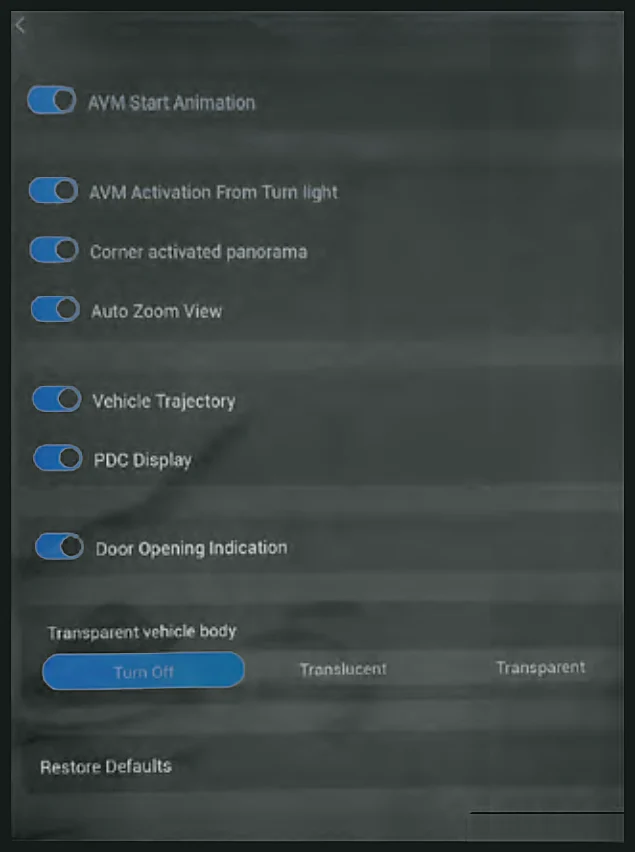
- AVM Start Animation - shows a start-up animation the first time you open the system with the button.
- AVM Activation From Turn Light - switching on an indicator shows a 3D view of the rear left or rear right of the car.
- Corner activated panorama - turning the steering wheel more than 190° shows a 3D view of the rear left or rear right.
- Auto Zoom View - automatically zooms to a close-up view based on how near an obstacle is.
- Vehicle Trajectory - in R, shows static and dynamic guide lines and wheel paths.
- PDC Display - shows the parking sensor display on the camera screen.
- Door Opening Indication - shows whether the bonnet, sunroof, doors and boot are open.
- Transparent vehicle body - sets the car image to Off, Translucent or Transparent so you can see the ground beneath it.
- Restore Defaults - resets all settings.