The Around View Monitor (called the Panoramic View Monitor in the PHEV manual) uses four cameras to show a view all round the car, with guide lines, on the central touchscreen to help you park.
Where the cameras are
- Front - in the front grille.
- Left and right - under each door mirror.
- Rear - centrally above the rear number plate.
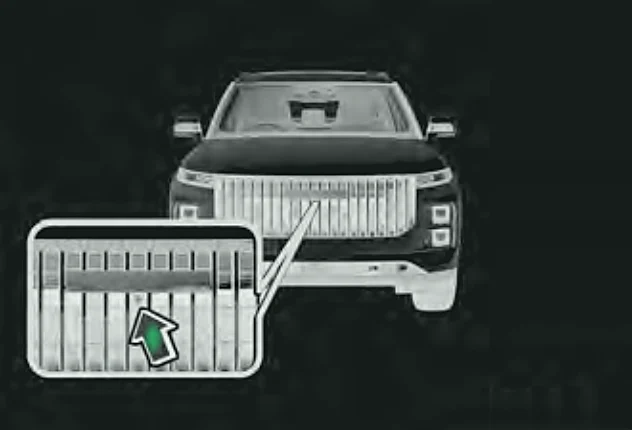
Turning it on
With the car switched on (ON mode) and at 18 mph (30 km/h) or less:Petrol only
With the car in READY and at 18 mph (30 km/h) or less:Super Hybrid (SHS-P) only
- Select R, or
- Tap the Around View Monitor app on the touchscreen, or
- Turn the steering wheel a long way (if the turning option is on in AVM settings), or
- Switch on an indicator (if the turn-signal option is on in AVM settings).
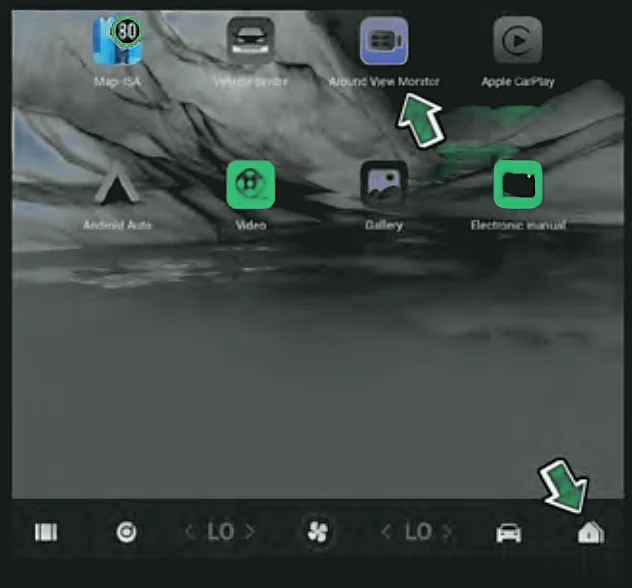
Turning it off
- It closes automatically above 18 mph (30 km/h) or when the car is switched off.
- Opened by R - it closes 15 seconds after you move out of R.
- Opened by parking sensor detection - it closes 15 seconds after you select N or P, or when there is no longer an obstacle.
- Opened by the app - tap the app again (or the close button).
- Opened by the indicator - it closes when you cancel the indicator.
Caution:The camera image does not show true size or distance, it lags slightly behind reality and has blind spots. It does not replace your own judgement - keep watching your surroundings while it is on and while turning it on or off.